The problem with serving a multilingual congregation today
If your congregation includes Spanish-speaking families, Mandarin-speaking students, or any group that doesn't primarily hear in English, you already know the gap. The traditional answers are expensive and limited: a human interpreter only serves the room, an FM assistive-listening system costs thousands in hardware, and running a separate Sunday service in another language doubles your pastoral and production load.
Meanwhile, your online stream — often the only way those members can participate at all — reaches them in English only. They follow along as best they can, or they disengage.
Live AI sermon translation changes that equation. One stream, produced exactly as you do today, reaches every viewer in the language they understand — simultaneously. This guide walks you through exactly how it works and how to set it up on Riverbend Live.
How live AI sermon translation actually works
The core technology is a pipeline of three AI stages running in parallel with your live stream:
- Speech-to-text transcription. Your pastor's spoken words are transcribed live, a phrase at a time, using a model tuned for spoken-word audio. It handles natural speech patterns, pause fillers, and the informal register of sermon delivery.
- Neural translation. The transcript is translated into each enabled destination language using a large language model. The output is natural, contextually accurate speech — not a word-for-word dictionary translation.
- Text-to-speech delivery. The translated text is spoken by a natural-sounding AI voice in the viewer's language and delivered through the video player, with live captions in that language alongside it.
Because each phrase is translated once it's finished, the translated voice runs a few seconds behind your pastor — closer when they pause between thoughts, a little further when they speak without a break. For a sermon, that's a small, steady delay that viewers settle into quickly.
Step-by-step: setting up your bilingual stream
Step 1Create your Riverbend Live account
Sign up free — no credit card required. General (non-translated) streaming starts on the Broadcast Free plan (5 hrs to get started, up to 50 viewers). Stream from OBS or any encoder on Broadcast ($79/mo), or from a browser webcam on Studio ($129/mo) — live translation is an add-on available on either. Translated services run through Riverbend's Studio, which takes a webcam or an OBS feed, and switching translation on for your account unlocks it.
Step 2Get a translation quote
Live translation is a custom add-on, quoted per event. Talk to us with your languages, service length and typical attendance — we'll quote your Sundays (from $39/hr per language) and switch translation on for your account. Translation only runs when you actively stream a translated event.
Step 3Configure your destination languages
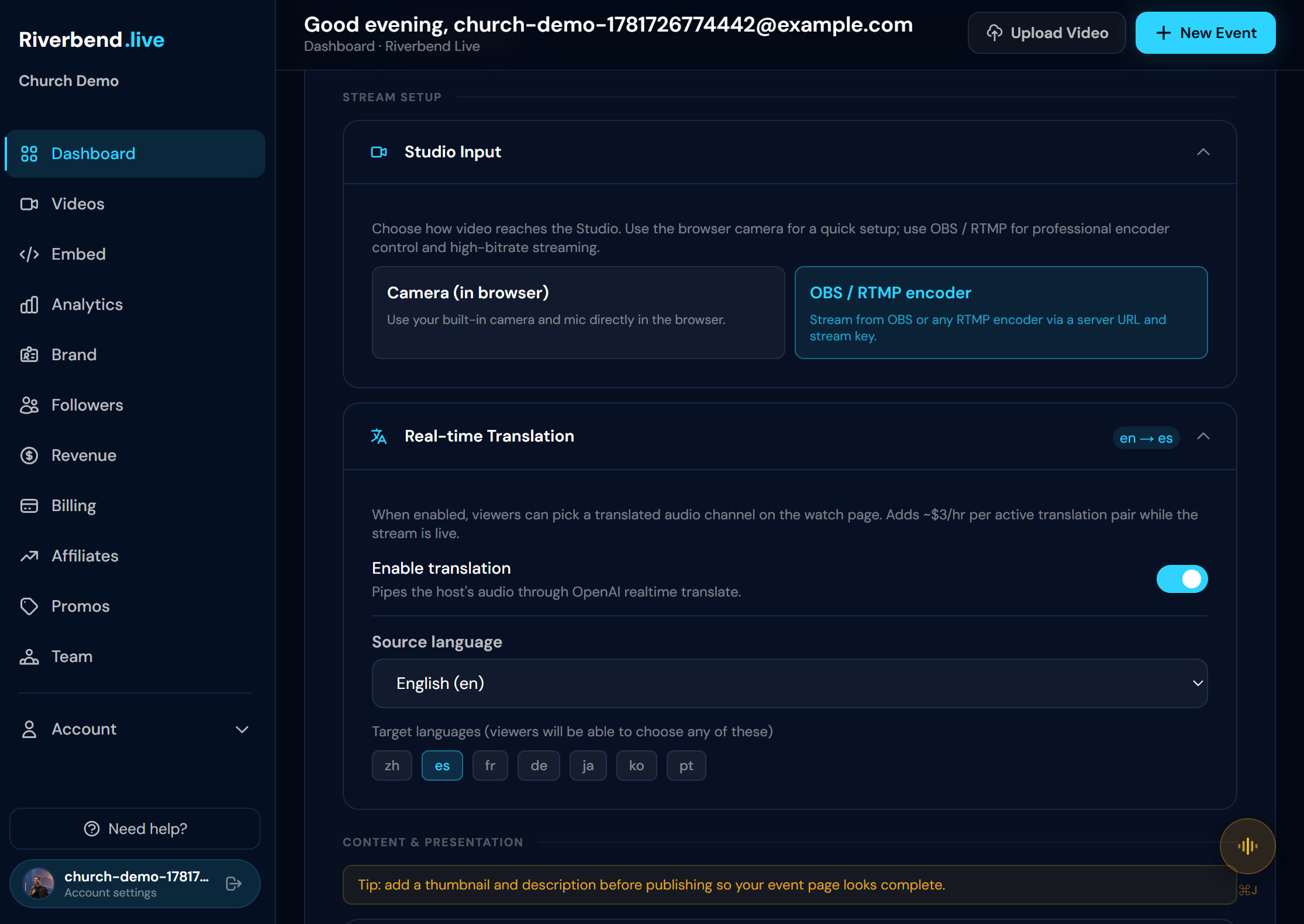
Create your service as a Webcam Stream (the Studio), then open Real-time Translation in the event settings and pick the languages your congregation speaks. You can choose from 40+ languages, including Spanish, Mandarin, Portuguese, Korean, Arabic, and more. Each language can be toggled on/off per event.
Step 4Go live — from a webcam or OBS
Translation works on either input. Prefer encoder control (multiple cameras, slides, lower-thirds)? Set the event's Studio Input to OBS / RTMP and push from OBS. Want nothing to install? Leave it on Camera (in browser) and go live from the browser. Both feed the same translated stream. (The flagship guide has the full OBS walkthrough.)
Step 5Share the viewer link with your congregation
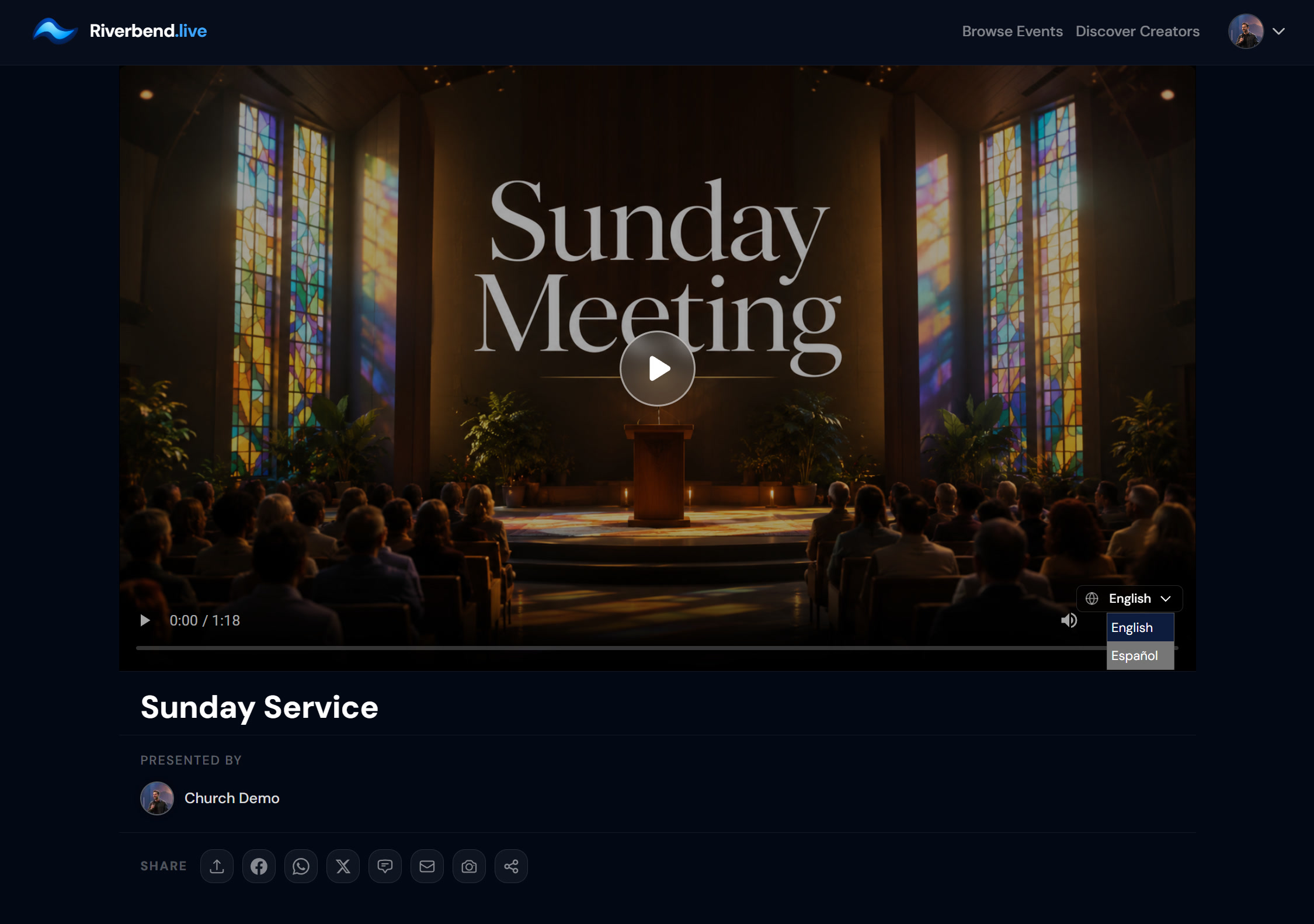
Your church has a dedicated page at riverbend.live/@yourchurch, and your weekly event has its own stable link. Send it in your Sunday bulletin, WhatsApp group, or email list. When viewers open the stream, they see a language selector in the player — it pre-selects their browser's language when you offer it, and they can switch any time.
Step 6Go live — translation runs with the stream
From the browser, pressing Go Live warms translation up automatically. From OBS, click "Start translation feed" in the Studio, give it 20–30 seconds, then start streaming in OBS. That's the only extra click. Spanish speakers hear Spanish. Mandarin speakers hear Mandarin. No production booth software required.
What it actually costs: honest numbers
Live translation is a custom add-on, available on either Broadcast or Studio and quoted per event for your languages, service length and congregation — from $39/hr per language. There's no self-serve translation plan to buy; you tell us what your Sundays look like and we price them. Here's what a quote is built from:
| Line item | Rate |
|---|---|
| Your plan — Broadcast or Studio | $79 or $129/mo |
| Live translation — solo pastor (one-way) | from $39/hr per language |
| Translated audience (metered from viewer #1) | $0.50/peak viewer |
Concretely, as a ballpark at the starting rates: a 1-hour service into 2 languages with 60 translated viewers comes to about $108 for that Sunday ($78 of translation plus $30 for the translated audience) — still far less than weekly interpreter time, with no booking, no briefing, and no “they're sick this week” cancellations. Your quote sets the actual figure.
You can try general (non-translated) streaming free on Broadcast Free first to get familiar with the platform. When you're ready to go multilingual, talk to us for a translation quote — whether you translate every week or just for a special service.
Latency, accuracy, and what to expect on your first translated Sunday
A few realistic expectations for your first bilingual service:
- The translated voice runs a few seconds behind the pastor. Viewers in different languages are watching at slightly different offsets — that's normal and expected.
- The translation quality is strong for conversational sermon delivery. Dense scriptural quotations in uncommon dialects or specialized theological terminology may benefit from a brief post-service review for the VOD.
- Captions are on by default in each viewer's chosen language, which helps viewers who are in noisy environments or who learn better by reading along.
- The first Sunday is always a good test run. Let your congregation know translation is available, even if rough initially — they'll guide you with feedback.
Beyond the basics: VOD archives, chat, and growing your online congregation
Once your bilingual stream is running, Riverbend handles several things automatically that would otherwise require additional tools:
Every service records automatically, and one click on “Publish to Videos” adds it to your library with its translated tracks. Members who couldn't join live find the service on-demand in their language. The sermon library grows every Sunday without any manual upload step.
Live chat is built into the player. Your Spanish-speaking viewers can type in Spanish. Moderation controls let a volunteer manage the chat room without needing a separate tool. Q&A mode lets your pastor collect and respond to written questions from the online audience during the message.
For special events — an Easter concert, a guest speaker series, a Christmas service you want to open to the broader diaspora community — Riverbend supports PPV ticketing natively. You can charge for access to a special event without needing a separate ticketing platform. See our full churches overview for the complete feature set.
Frequently asked questions
Can viewers really hear a translated voice, not just read captions?
Yes. Each translated language is its own audio track, voiced by a natural-sounding AI voice, so members listen rather than read. Live captions in their chosen language are on by default too, and can be turned off.
How much does it cost per Sunday to stream in two languages?
Live translation is a custom add-on on either the Broadcast or Studio plan, quoted per event for your languages, service length and congregation — from $39/hr per language. Translated viewers are metered from viewer #1, and that's part of your quote. As a ballpark at the starting rates, a 1-hour service into two languages with 60 translated viewers is about $108. Talk to us and we'll quote your Sundays.
Does our tech volunteer need to do anything different to start translation?
Barely. Languages are set once on the event, so there is nothing to configure on Sunday. From a browser webcam, pressing Go Live warms translation up automatically. From OBS, your volunteer clicks "Start translation feed" in the Studio, waits 20–30 seconds, then starts streaming in OBS as usual.
Can viewers who miss Sunday watch the translated VOD later?
Yes. The recording captures the translated audio tracks, and when you publish it to your Videos library they carry over automatically, so members who miss the live service can watch on demand in their preferred language.
What languages are supported beyond Spanish and Mandarin?
You can choose from 40+ languages, including Portuguese, Korean, Arabic, French, Hindi, Vietnamese, and more. You only enable and pay for the languages you actually use.
Can we start with just one language and add more later?
Absolutely. You can enable a single destination language on your first translated Sunday and add more at any time. Translation time is priced per language, so each one you add is a separate line in your quote.